

AI assistants
Videos. Ideas. Useful tools.
Explore AI and technology with Matt Maher on YouTube, then discover the tools taking shape at Metal Sole.


Featured on Metal Sole
01 / Metal Sole on YouTube
New tools, changing models, and better ways to work with AI. Pick an idea and follow it.
AI assistants
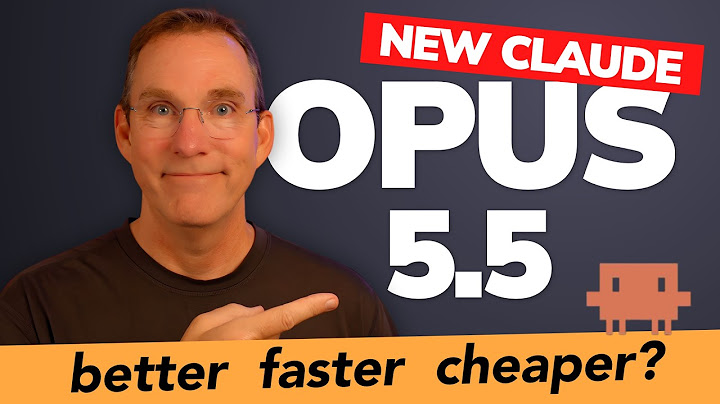
Models in practice

Better conversations
More videos, experiments, and ideas at youtube.com/@MetalSole
02 / A useful tool · For Mac
Your weekly AI allowance, with a little perspective.
Agent Runway lives in your Mac’s menu bar. See what’s left for Claude and OpenAI, paced against the time until it renews.
Five cells and a color show how your allowance is holding up against the clock.
Activity separates cached history, new input, and output across your sessions.
Select a span of activity and turn it into a share image or a text summary.
A read-only view of your allowance and activity.
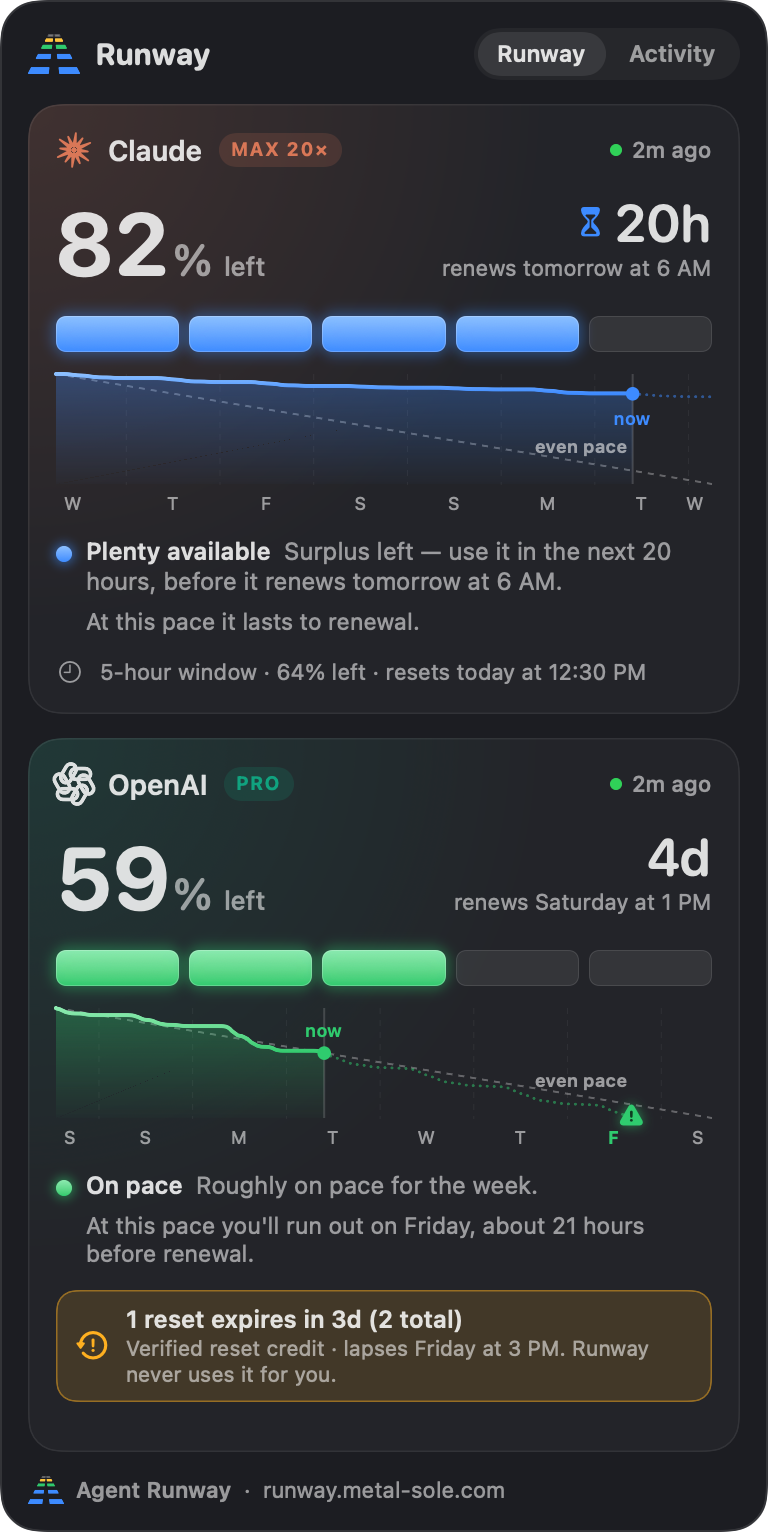
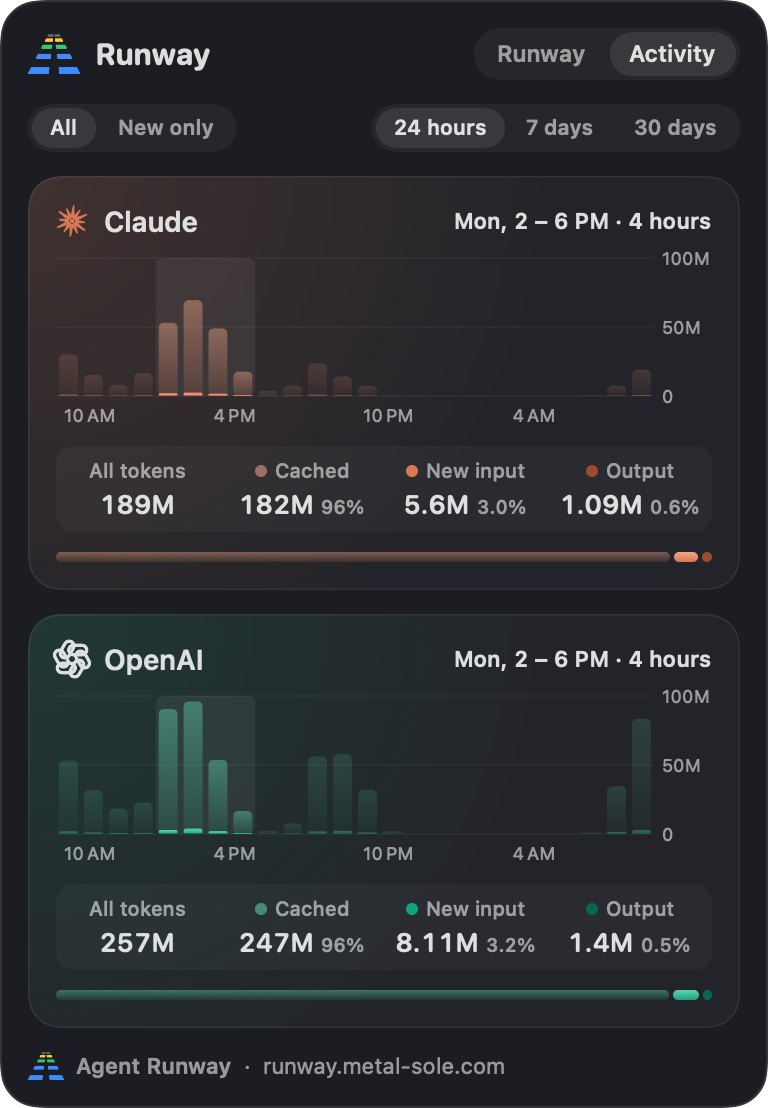
Actual Agent Runway views · Example readings
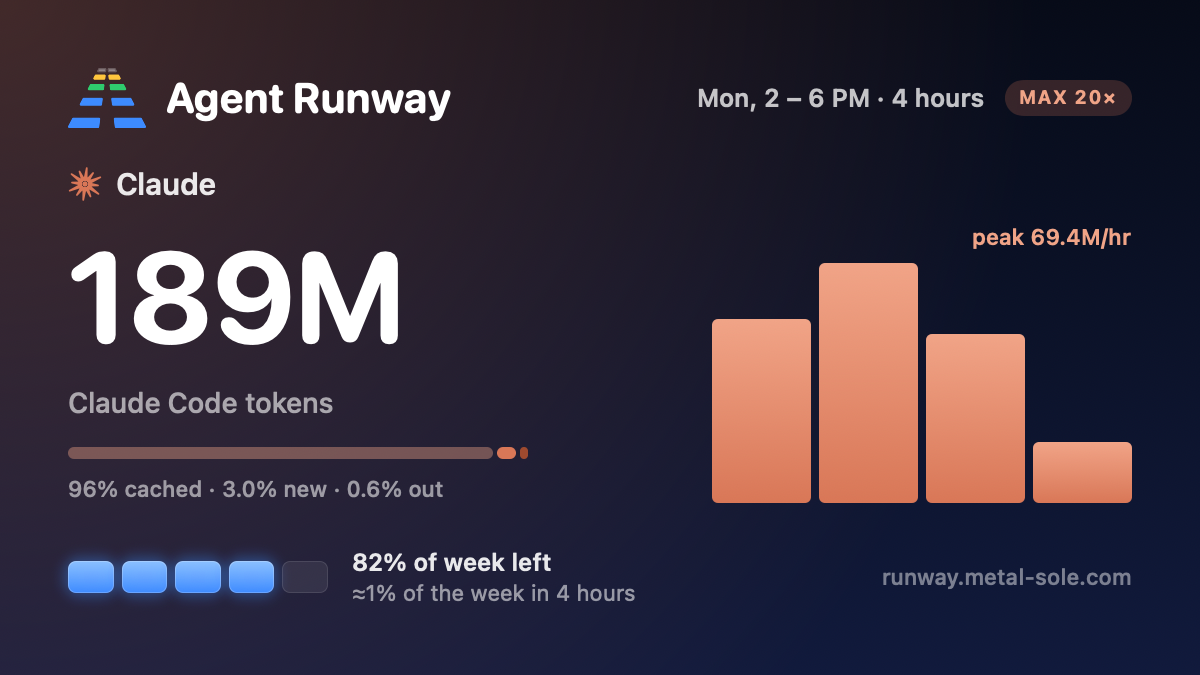
From a session to a snapshot
Drag across the Activity chart to choose a span. Copy an image with the token breakdown, the chart, and the allowance left.
See how Runway works
03 / Glade · For Mac
Write Markdown, text and code. Read the references beside them.
$6.99 once. One complete app, with a 14-day full trial.
Bring a folder into Glade and edit Markdown, plain text and code. Read PDFs, PowerPoint slides and spreadsheets in read-only previews, with drafts and reference files side by side.
Explore GladeAvailable for Apple Silicon and Intel Macs. Start the full trial when you choose. No account, card, subscription or automatic charge for the trial.
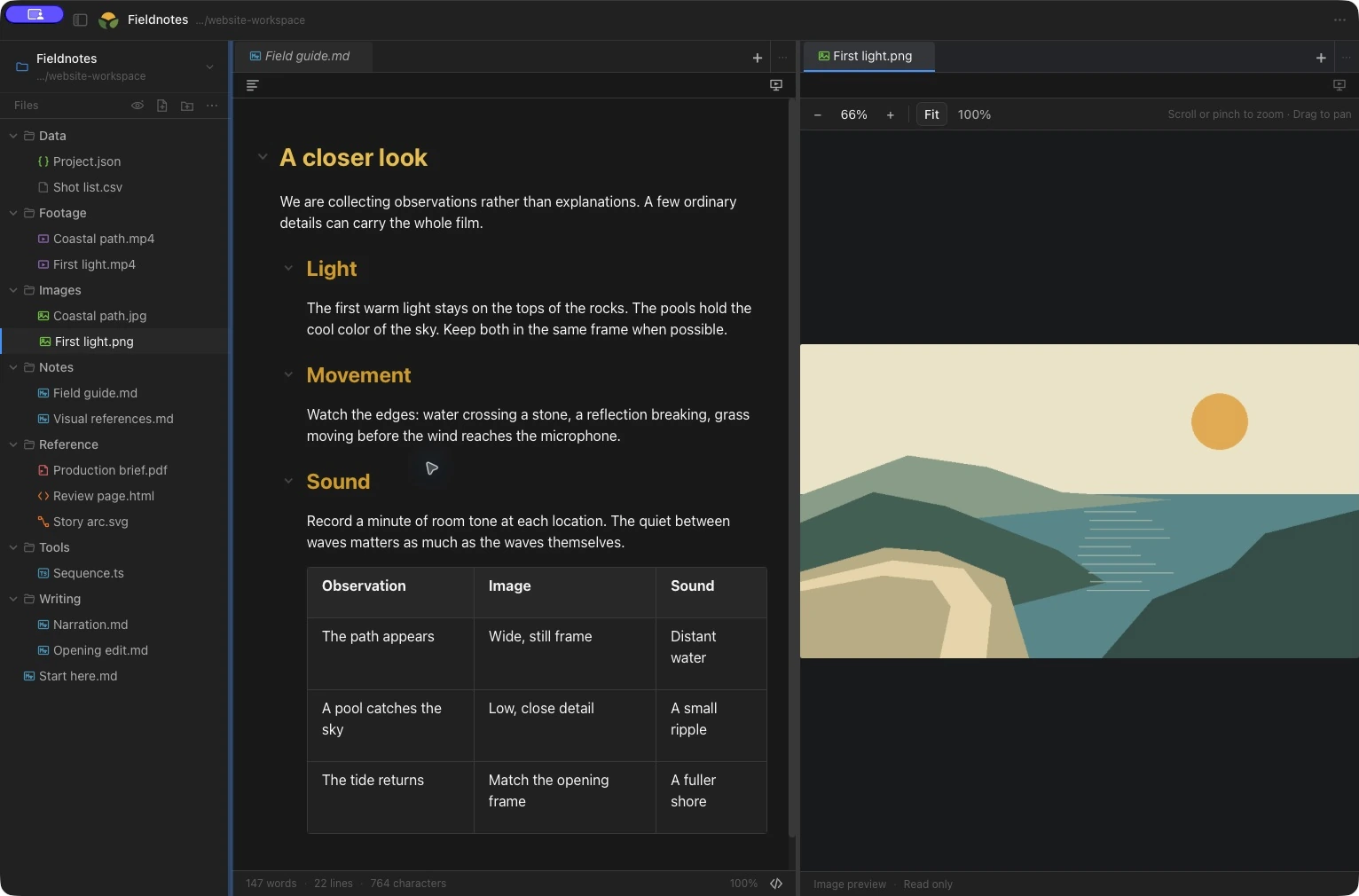
Move between visual Markdown editing, source, and focused reading. Keep the view that helps you think.
Read-only PDF, DOCX, PPTX and spreadsheet previews sit beside your drafts. Explore JSON, view images, and play audio or video in the same workspace.
Compare files in split panes, move tabs into separate windows, and choose themes and readable type for each view.
When it is time to speak
Open a separate presentation window, place your script near the lens, and follow it with manual, timed, or local English Voice controls. Word Follow dims confirmed spoken words, with optional phrase highlighting and adjustable reading guides for your display or teleprompter.
Your personal licence works offline on all your Macs, for personal or work use. A new Glade purchase includes all 1.x updates. Future major upgrades are optional purchases; the version you bought stays usable.
The full trial starts when you explicitly choose to begin. After expiry, reader and recovery mode keeps files openable and readable: copy text, open files in another app, and save or export existing unsaved and recovered work. Sessions admitted before expiry can finish safely; a licence is needed for new editing and presentation sessions.
Eligible earlier installations keep full access, including future Glade versions. Contact Metal Sole for a complimentary recoverable licence when reinstalling or changing Macs.
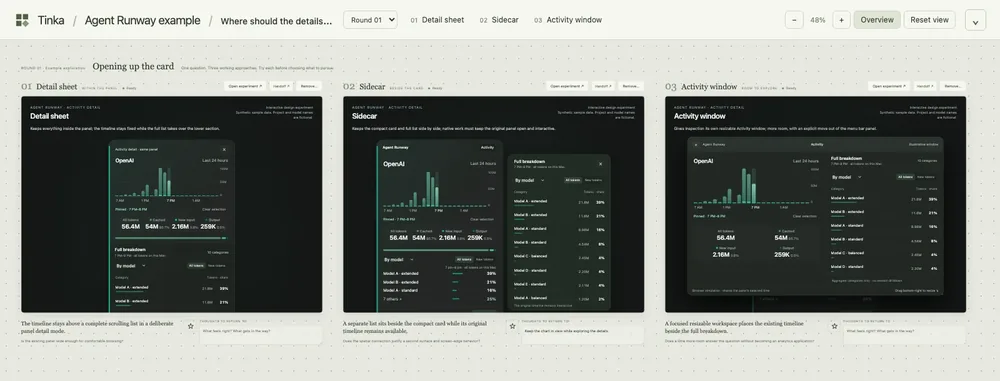
A board for the designs your AI agent builds.
Ask it for a few different approaches. Open the designs, try their interactions, and compare what feels right. Leave notes, then take an idea further together.
Your boards live as ordinary files beside your project. Keep the experiments, notes and history together, ready to pick up where you left off.
05 / Still taking shape
There’s always another idea to explore. Check back here for what comes next.
Keep exploring
